
Messages & campaigns
Prepare and send a group message
Reviewed:
Communications → Prepare group message opens four steps: Audience, Message, Preview, and Review and schedule. Choose the channel, message purpose and template; Write your own message remains available.
See it in the actual workspace
Actual NovaTek demo screenshot • fictional records • captured October 16, 2026. Interface shown in English, except the language example in French.
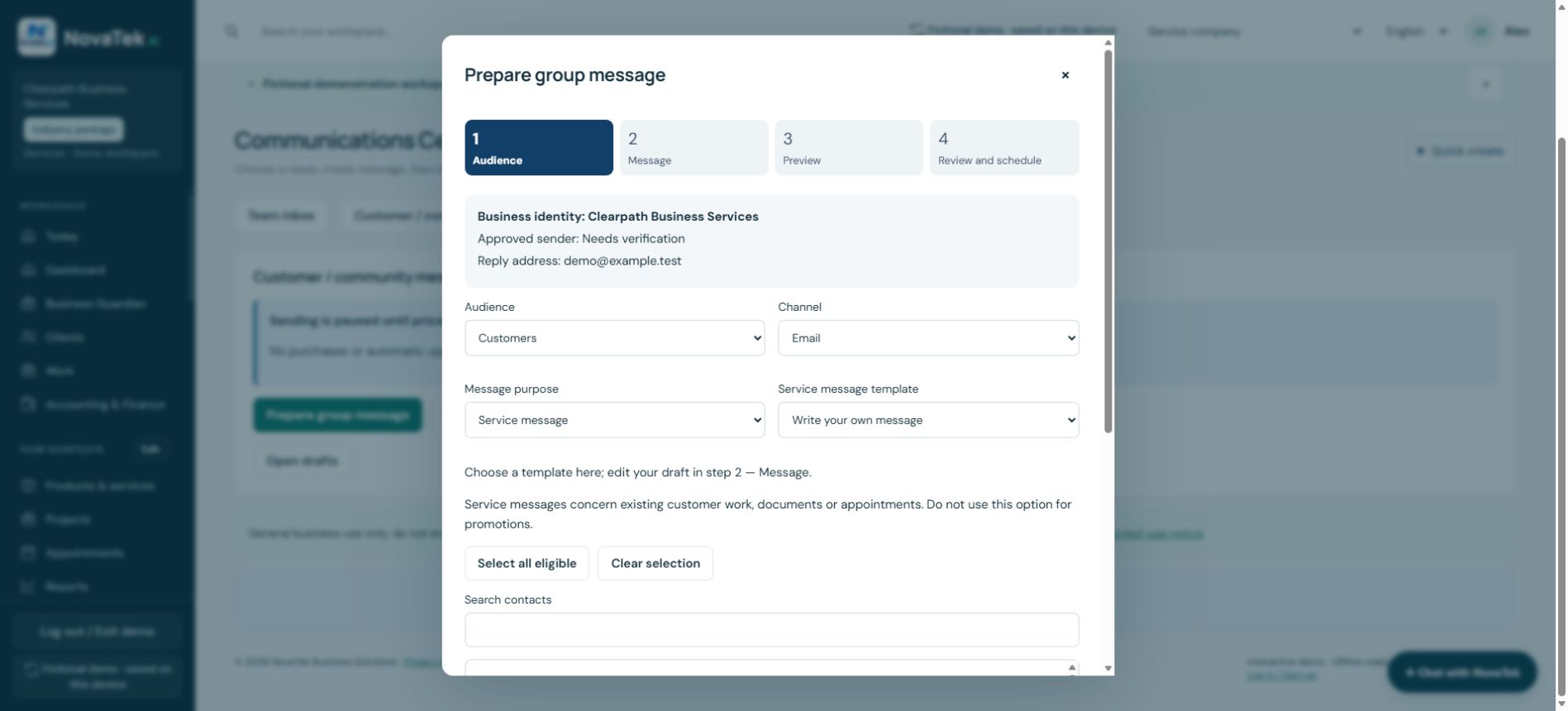
Review the audience before preparing the message
Check the business identity, approved sender and reply address shown in the composer. Marketing requires the appropriate consent; contact imports alone do not grant it. Review exclusions and individual personalization before any authorized send.
Before you act
At capture time, the demo showed sending paused until prices and provider access are verified. A draft, queued item or provider acceptance is not proof of delivery. No message was sent for this guide.
Step-by-step guide
- Open Communications and the guided group composer.
- Choose customers, active employees, a saved group or selected people.
- Select email, SMS or WhatsApp, then service or marketing purpose.
- Check channel preference and applicable consent; remove duplicates, invalid addresses and suppressed recipients.
- Choose a template and language, or Write your own message; edit and finish placeholders.
- Add permitted attachments and preview personalization, sender and reply address.
- Use an authorized test-send when needed.
- Review recipients, exclusions, count, estimate and allowance.
- Send now or schedule within the supported window only with authorization.
- Inspect sending history and distinguish queued, accepted, delivered, failed and uncertain results.
Check your result
A recorded outcome exists for each intended recipient; report the actual status, not an assumed success.
Features depend on your plan, permissions and enabled provider connections. These guides explain tasks; reading a guide does not perform an action or confirm completion.
Sign-in and appropriate permissions may be required.