
Quotes, invoices & money
Prepare a quote and invoice
Reviewed:
In Accounting & Finance, open Quotes and choose + New quote. Select an existing contact and a product or service. Review the issue date, due date, quantity and unit price before creating the quote.
See it in the actual workspace
Actual NovaTek demo screenshot • fictional records • captured October 16, 2026. Interface shown in English, except the language example in French.
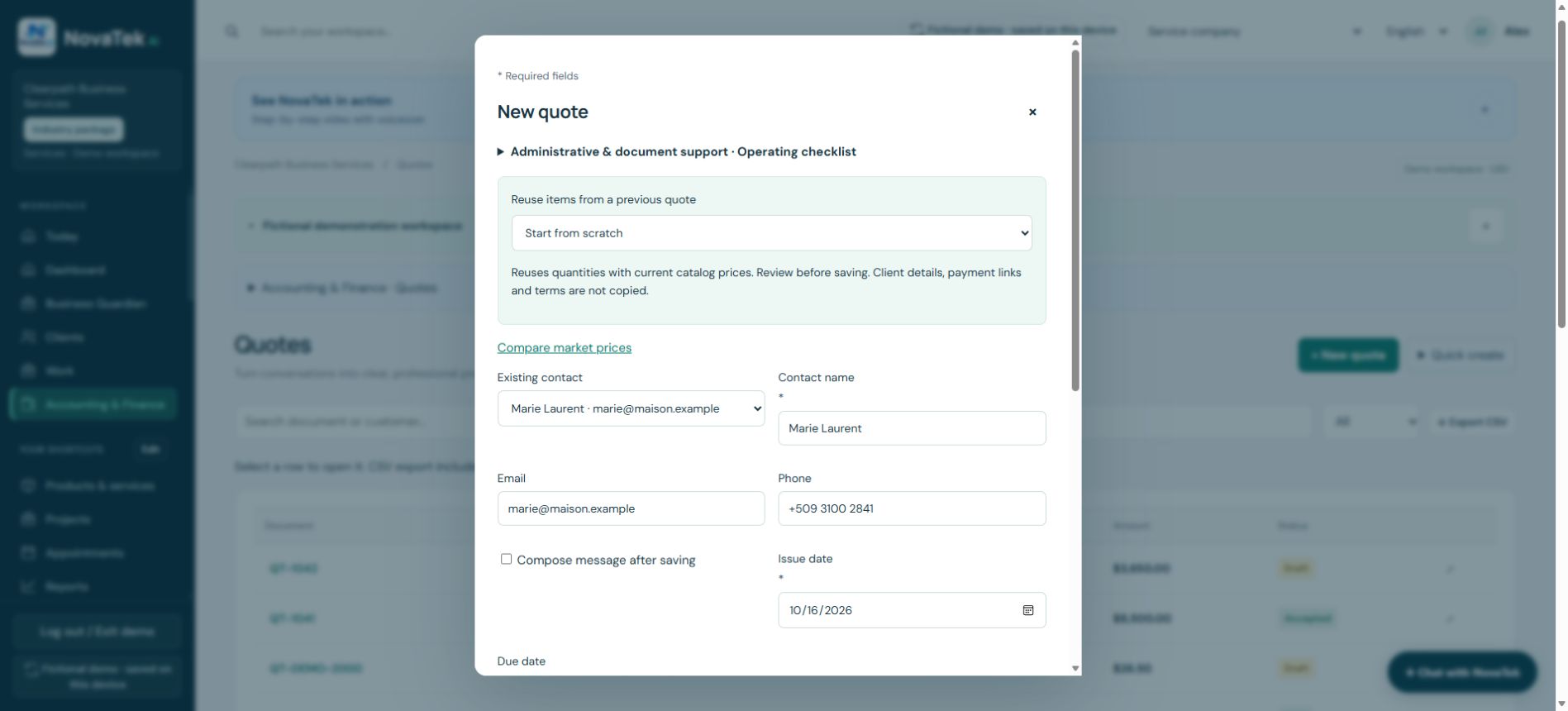
Build the quote from the customer and catalog
The composer can add catalog lines and look up a scanned item. Drafts are not sent merely by opening the form. Review the saved document and accepted scope before converting it to an invoice.
Before you act
Avoid converting the same accepted quote twice. A document marked paid or a payment link on an invoice is not independent confirmation that funds arrived.
Step-by-step guide
- Choose the client and add products/services from the list, or create a new item.
- Check quantities, unit prices, discount, tax and due date. Save the quote.
- Convert the accepted quote once, or create an invoice. Review any payment link before including it in a message.
Features depend on your plan, permissions and enabled provider connections. These guides explain tasks; reading a guide does not perform an action or confirm completion.
Sign-in and appropriate permissions may be required.