
Clients & getting work done
Add a client once
Reviewed:
Open Clients, search for the person, then choose + New contact only if the record is missing. The form includes full name, company, email, phone, address, status and owner.
See it in the actual workspace
Actual NovaTek demo screenshot • fictional records • captured October 16, 2026. Interface shown in English, except the language example in French.
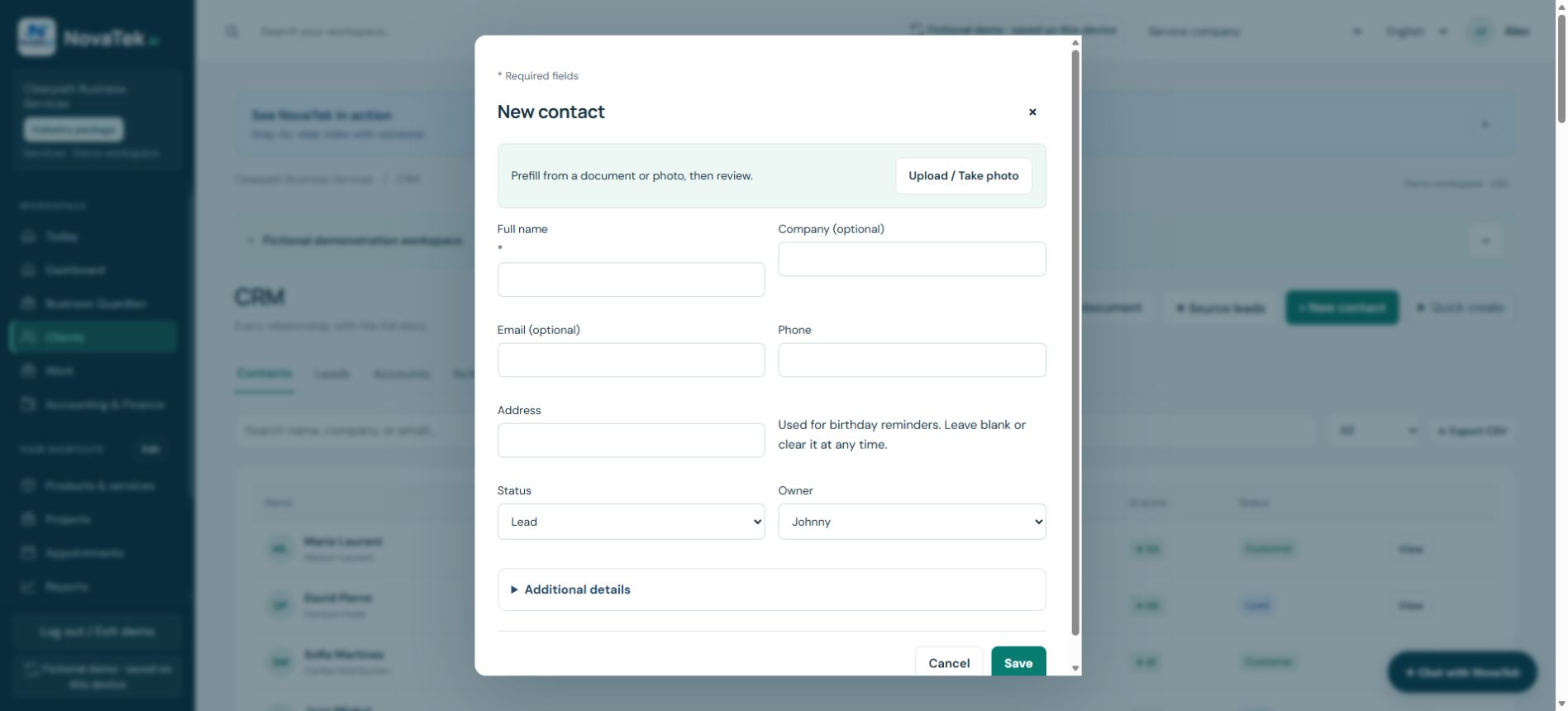
Create one reliable customer record
Use Upload / Take photo only when you have permission to use the document. Review extracted details, choose Lead or Customer, and save once. Reuse that client in later quote and message pickers.
Before you act
Importing a contact or saving an email address does not establish marketing consent. Keep contact details accurate and record the person’s preferences.
Step-by-step guide
- Search for an existing client before choosing New contact.
- Enter name, email and phone. Address suggestions need internet; manual entry is available.
- For an upload or photo, review extracted fields before saving. A birthday is optional.
Features depend on your plan, permissions and enabled provider connections. These guides explain tasks; reading a guide does not perform an action or confirm completion.
Sign-in and appropriate permissions may be required.