
Products, POS & restaurants
Retail, restaurants and card readers
Reviewed:
Choose the correct business entity and branch. In Register, scan a code or select a product, choose the customer and order type, and review quantities, weight where applicable, tax and total.
See it in the actual workspace
Actual NovaTek demo screenshot • fictional records • captured October 16, 2026. Interface shown in English, except the language example in French.
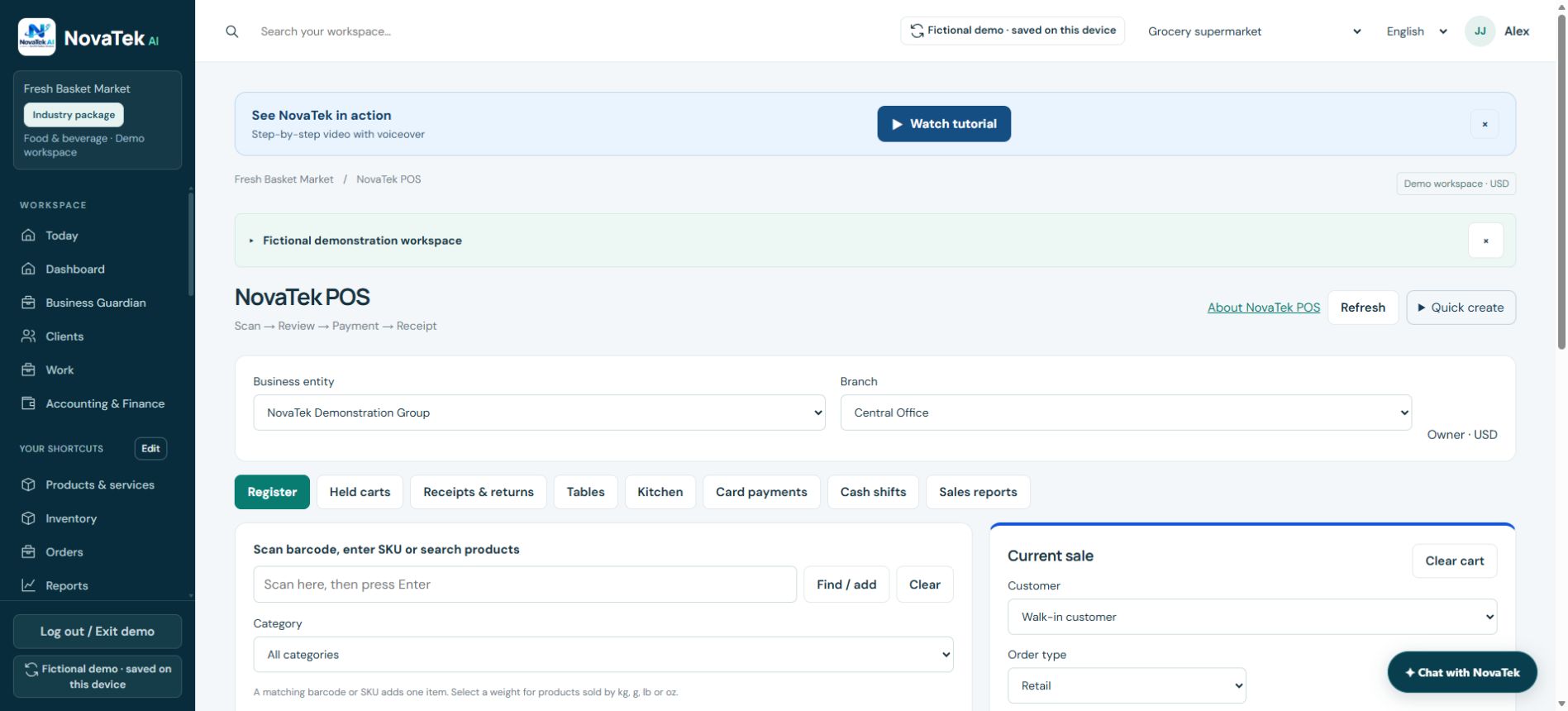
Follow the sale from register to receipt
The POS includes Held carts, Receipts & returns, Tables, Kitchen, Card payments, Cash shifts and Sales reports. These are separate workflow screens; opening one does not complete a sale or move money.
Before you act
Card collection requires a supported registered reader, approved Stripe setup and connectivity. Wait for provider confirmation. Returning stock and refunding money are separate outcomes to verify.
Features depend on your plan, permissions and enabled provider connections. These guides explain tasks; reading a guide does not perform an action or confirm completion.
Sign-in and appropriate permissions may be required.