
Account & troubleshooting
Which languages can I use?
Reviewed:
Use the Language picker at the top of the workspace: English, Français, Kreyòl or Español. The screenshot shows the actual French interface with the same navigation and business context.
See it in the actual workspace
Actual NovaTek demo screenshot • fictional records • captured October 16, 2026. Interface shown in English, except the language example in French.
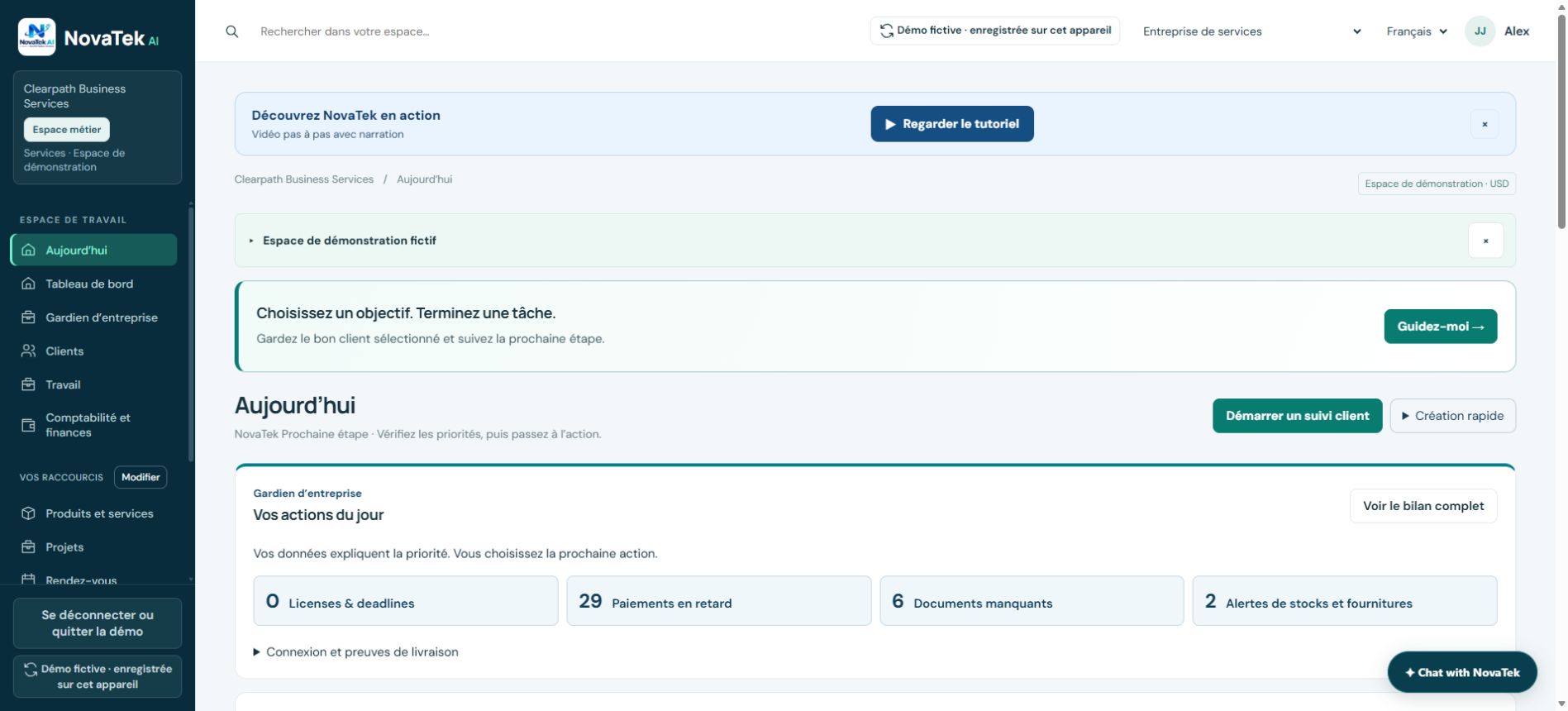
Choose interface and message languages separately
In the message composer, choose the intended recipient language and review the generated wording before sending. Switching the interface does not translate names, imported records or text you typed yourself.
Before you act
For legal, financial or other important documents, have the wording reviewed by an appropriately qualified person.
Features depend on your plan, permissions and enabled provider connections. These guides explain tasks; reading a guide does not perform an action or confirm completion.
← Browse all topics